Electronics & Smart Home apps and guides
A smart TV remote is no help until it connects. I look at device fit and setup friction across electronics tools, including where your Wi-Fi router matters; start with the equipment you already own.
11 apps · 5 guides · top pick first
See the top pickMatch your TV, home devices and connection tools
 SmartThingsAndroidOur top pickGroup compatible home devices, build routines and check their status in one app.
 Universal Smart TV RemoteAndroidCheck the connection method before you put your old remote away.
 My SpectrumAndroidCheck bills, mobile data, Wi-Fi and TV details from a single account screen.
 Voice to textAndroidDictate a note, edit it as you go, then share or export the text.
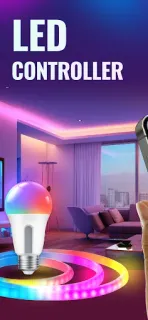
 LED Light Controller &AndroidBuild a music-led lighting scene, then check what access and payment it takes.
 mySolarEdgeAndroidCheck solar production and inverter status, then manage supported energy devices remotely.
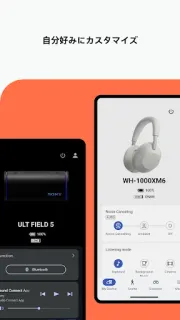
 SonyAndroidA headphone control panel for sound, noise and listening habits.
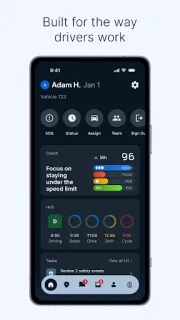
 Samsara DriverAndroidA shared work hub for drivers, dispatch messages and daily checklists.
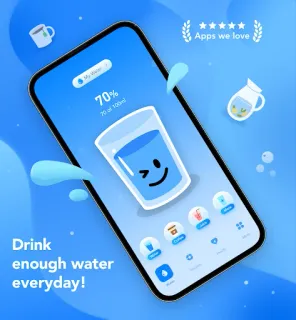
 Drink AlarmsAndroidSet a daily water goal, log drinks and shape reminders around your day.
 Helium MobileAndroidPhone service with a people-built network and rewards tied to changing conditions.
 Browser TV WebAndroidOpen websites, search by voice and play web videos from an Android TV remote.
Electronics & Smart Home guides
- How-to · Samsara DriverSamsara Driver: Certify Your HOS Log in 4 StepsCheck duty status, fix an entry, then certify your Samsara Driver log.
- Tips · Drink AlarmsDrink Alarms: 6 fixes for reminders at the wrong timeMake drink reminders useful during meetings, commutes and evenings at home.
- Troubleshooting · LED Light Controller &LED Light Controller & Remote: Fix Music SyncMusic playing but bulbs staying still? Check the connection before changing your light scene.
- Tips · Browser TV WebBrowser TV Web: 6 fixes for awkward video playbackA practical route from a video page to full-screen playback, subtitles and a saved link.
- Troubleshooting · SonySony Sound Connect settings keep changing? Try these fixesFind the setting behind unexpected sound changes in your Sony headphones.
Other categories
How we pick Electronics & Smart Home apps
I put compatibility ahead of a long feature list. 1. Does the app support the exact equipment I want to control or manage? 2. What has to be connected, signed in or paired before the main function works? 3. Does the phone make the task easier than the existing controls? I distinguish device control from account management and text utilities. That keeps a familiar brand name from deciding the choice; the next step is checking the review against your equipment.
Electronics & Smart Home FAQ
Will a universal remote app work with every TV?
I never take “universal” as a guarantee for every television. I check the supported TV brands, connection method and any hardware requirements first.
Why might my phone fail to find a smart device?
For apps that discover devices over the home network, I first check that both devices are on the required network and that pairing is enabled. I then follow the device maker's connection steps.
Is a service account app the same as a device controller?
I separate those jobs: managing a service account is different from changing channels or controlling a light. I choose according to the action I need, not just the brand on the equipment.