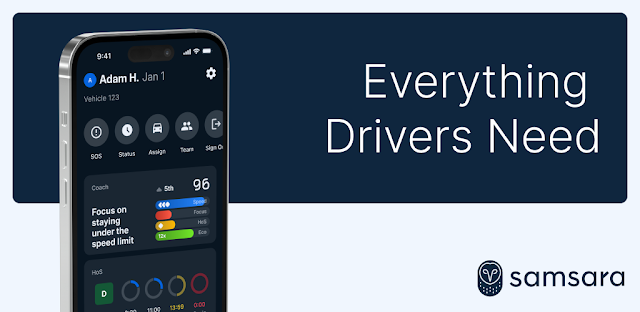
A driver finishes an inspection at a roadside stop, then needs to send the report and confirm the next task. Samsara Driver puts inspection workflows, documents, routes and forms in one place, which can make handoffs easier for a small team. A manager can use the same work setup to keep track of assigned tasks and messages, while family members may find the app less useful unless they are part of the driver’s Samsara-connected work.
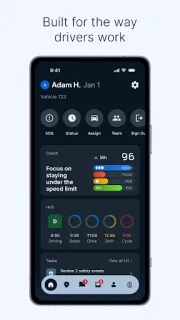
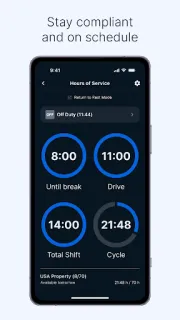
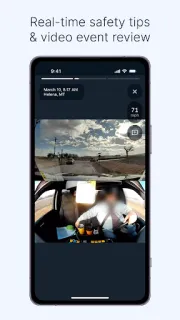
The app supports Hours of Service logging and certification, alerts for upcoming breaks and potential violations, and access to inspection reports for sharing with roadside officials. Drivers can submit DVIRs, review safety events, acknowledge them, complete short training, and check safety scores, scorecards, badges and kudos. Routing guidance, real-time navigation, in-app messages to managers or dispatch, and an SOS option round out the workday tools. It is a professional-driver workspace, not a general family location-sharing app.
The practical catch is that the app is designed around a Samsara work setup. Before relying on it, confirm that your employer or team has given you the account access and tasks you need. HOS, routing and messaging depend on using the relevant tools correctly; keep following your organization’s process and applicable requirements. Check the permissions requested during setup and allow only what makes sense for the features you plan to use. The app is free to install, but access to team services may depend on your organization’s arrangement.
I’d consider installing it if you drive professionally and your dispatcher or manager uses Samsara, especially when you need one place for logs, inspections and work messages. A small team can use it to keep routine tasks visible, but it is not a substitute for agreeing on who handles urgent messages or how family will reach a driver. Skip it if you only want a personal checklist or a way to share updates with relatives. Check the Google Play button just below if the app fits your team’s workflow.
 How-toSamsara Driver