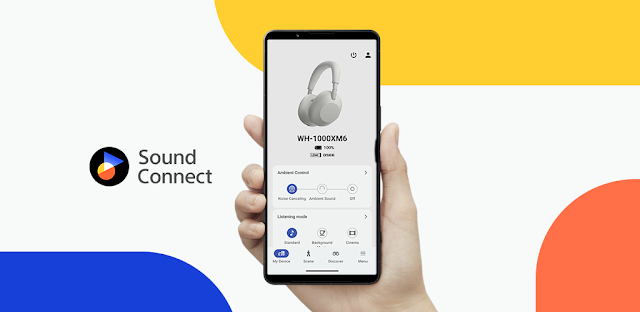
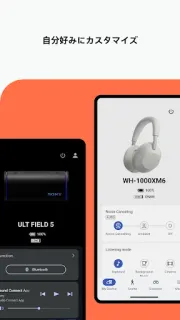
You step from a quiet desk onto a busy street and want less noise without changing tracks. Sony | Sound Connect puts headphone controls in one place, so you can adjust noise cancellation or ambient sound to suit the moment. I find that most useful when the same pair moves between a laptop call, a walk and music at home; the phone becomes a control panel rather than another playback device.
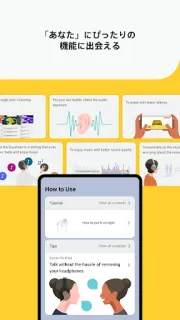
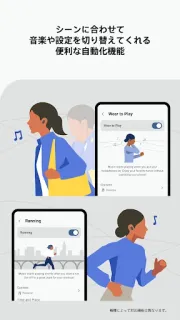
The app is for getting more from compatible Sony headphones. Its equalizer lets you tune sound to your taste, while noise cancellation modes and adjustable ambient sound help shape what you hear around you. With supported devices, it can switch settings automatically, start music and deliver audio notifications for a situation. It also shows device-use logs and listening history, records headphone sound pressure for comparison with WHO-recommended limits, and provides device software updates and Sony notifications. Those extras make this more than a basic sound slider, but the headphone model determines what you can use.
The main catch is compatibility: some controls and automatic actions are limited to supported devices, so owning Sony headphones alone does not guarantee every feature. It is a companion app, not a general equalizer for every pair of wireless earbuds or a way to improve a smart TV's speakers. The listing says the app is free to install; check the Google Play listing for any purchase details shown there. It also needs a phone running Android, and the app's controls matter only while using compatible headphones. On an older or low-storage phone, consider whether you want a resident companion app for settings you may rarely change; the listing gives no app-size figure to weigh against your available space.
Install it if you use compatible Sony headphones and regularly switch between quiet, travel and conversation, or want the listening log and sound-pressure view. Skip it if you have another brand's headphones, need a control app for a smart home or Wi-Fi router, or are trying to free space for essentials. Before installing on a three-year-old Pixel, I would check available storage and confirm the headphone model's supported features. If that fits, use the Google Play button just below to open the listing and check the details for your device.
 TroubleshootingSony