You finish a meeting, refill your glass and immediately forget to log it. That is the kind of small gap Drink Alarms: Water Tracker aims to close: set reminders around your schedule, then record a drink when you have it. The setup matters. If the first goal or reminder times feel too demanding, you may dismiss the alerts instead of building a routine, so make the initial plan fit your actual day.
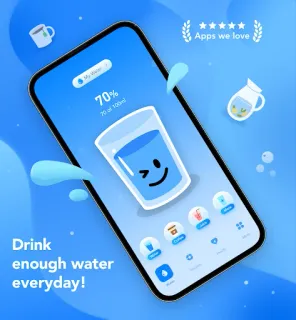
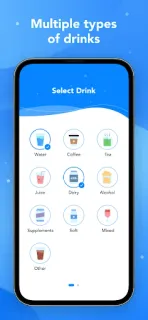
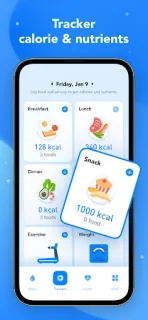
The app is built around a personal hydration goal, drink tracking and progress reports. You can log different types of beverages, choose metric millilitres or imperial ounces, and configure reminders to suit your schedule. The listing also describes tracking food, weight and activity, alongside calorie and nutritional information. For faster entry, it advertises a quick-log option without opening the app. If you also use a smartwatch or smart home routines, treat those as separate tools: the described core is the app’s drink log and reminders, not integrations.
Expect a few choices before the routine feels useful: set a goal, pick measurement units, choose drinks and decide when reminders should arrive. The developer describes the hydration plan as algorithm-based; I would treat its suggested target as a starting point, not a personal health assessment. The app contains ads and offers in-app purchases, so check the Google Play listing for purchase details before installing. Reminder delivery can also depend on your phone’s notification settings; check Android notifications if alerts do not appear when expected.
Install it if you want a dedicated place to log drinks and reminders you can fit around work, meals or travel. Skip it if you want a water-only counter with no ads, or if setting a goal and tuning alert times sounds like more work than using a simple note. I would get the first ten minutes right: choose units, enter a realistic goal, and set only the reminders you are willing to follow. Check the Google Play button just below to confirm the app and its listing details.
 TipsDrink Alarms