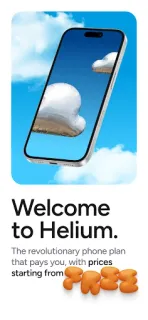
You’re heading out and your phone needs a connection; the first question is whether Helium Mobile’s service is available where you are. The app’s appeal is the combination of a phone plan and a network built in part by people, rather than a standard carrier pitch alone. That makes it worth a look if you’re curious about a different way to connect, but coverage and plan details matter more than the headline.
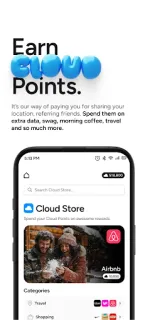
Helium Mobile is a Tools app from Nova Labs, Inc. The developer describes plans, including a free plan, and says eligible activity can earn Cloud Points. Those points are tied to network governance and several factors, including individual activity, network use, and technical or operational conditions. Treat them as a possible extra, not as guaranteed cash or a fixed return. The practical job of the app is to get you into Helium Mobile’s service and its related account experience; choose a plan based on the service itself, not on hoped-for rewards.
Check the plan terms and coverage before switching, and budget for applicable taxes and fees even when a plan is described as free. Rewards are not guaranteed, and their value is not promised. You’ll need to agree to the app’s terms to use it. On a three-year-old Pixel, I’d also keep Android and the app current if something goes wrong, then check the app’s permissions in Settings > Apps > Helium Mobile > Permissions. Allow only access that matches a feature you intend to use; don’t assume that granting more permissions will improve cellular coverage.
Install Helium Mobile if you’re comparing phone plans, have checked service in the places you rely on, and are comfortable treating Cloud Points as uncertain. Skip it if you need a guaranteed reward, want to avoid plan taxes and fees, or cannot risk a change in coverage. For a smart home or 4K streaming setup, remember that a phone plan is not a replacement for checking your home Wi-Fi router’s service. If the terms and coverage suit your routine, use the Google Play button just below to open the listing.