The full review
The pharmacy closes before the grocery store, a parcel still needs returning, and someone at home wants to know when I will arrive. That is the Google Maps job I care about: keeping a chain of errands workable without turning every stop into a shared itinerary. I judge it on stop order, useful arrival information, and how clearly I can control location sharing and Timeline. My less obvious finding is that sharing a live location and keeping a private travel history are separate decisions; sorting out one does not settle the other.
Part 1 · 1 of 31. Put the closing pharmacy ahead of the groceries
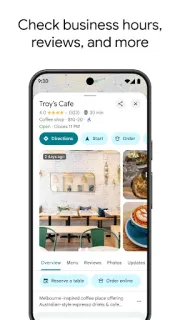
I start by searching for the pharmacy and opening its place page, rather than immediately tapping Directions. Listed hours, the address, and entrance photos can change the whole errand order. I treat hours as a planning aid, not a guarantee, especially around holidays. A quick call is worthwhile when collecting something depends on reaching a staffed counter.
Next I tap Directions, choose driving, and use the three-dot menu > Add stop to build the remaining route. I drag stops into the order I need. Maps handles the navigation, but I still own the priorities: closing time first, bulky groceries last. That distinction matters before I mistake a convenient route editor for an automatic errand scheduler.
Part 1 · 2 of 32. Traffic can change the route, not my priorities
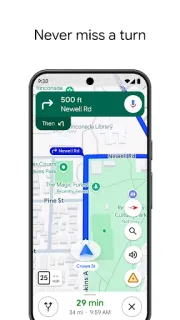
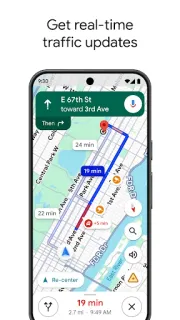
Once the stops are arranged, live traffic and automatic rerouting are the strongest reasons I would keep Maps open. A road closure between the parcel counter and the supermarket is exactly the interruption it is built to handle. Voice guidance also lets me leave the screen alone while driving, instead of repeatedly checking which turn comes next.
I do not treat the displayed arrival estimate as the time I will be home with everything finished. Parking, queues, and carrying bags sit outside the driving calculation. When someone is waiting, I allow for those gaps before sending an estimate. The route is useful precisely because it handles the road; I should not ask it to predict the checkout.
Part 1 · 3 of 33. Share the journey without forgetting the permission
The overlooked screen is profile picture > Location sharing. I check it before a busy errand run, not only when someone asks where I am. Maps offers time-limited sharing and an option that continues until I turn it off. For a grocery pickup or household handoff, I prefer a defined window rather than leaving access running indefinitely.
Timeline deserves a separate visit through profile picture > Your Timeline. I think of sharing as access for another person and Timeline as a record associated with my own activity. Stopping one does not automatically clear the other. That separation is useful, but it creates an extra housekeeping task after a trip involving places I would rather not retain.
Several stops and a waiting household: my best-fit case
I would choose Maps for someone juggling collections, shopping, and a pickup while coordinating with another person. It also earns a place beside a trip planner when holiday errands involve unfamiliar streets. I would look elsewhere for automatic stop-order optimization or appointment scheduling. My dividing line is simple: Maps helps me move through a plan and share my whereabouts, but I still have to decide what takes priority and when sharing should end.
The listing, as we read it
- Developer
- Google LLC
- Version
- Varies with device
- Updated
- Nov 4, 2026
- Installs
- 10,000,000,000+
- Rating
- 3.4 out of 5
- Content rating
- Everyone
- Category
- Travel & Local
- Price
- Free
- In-app purchases
- No
- Ads
- Yes
Source: Google Play listing for com.google.android.apps.maps · read Nov 9, 2026
Google LLC publishes Google Maps, and Google Play labels it as containing ads and free to install. I read that as a reason to distinguish promoted discovery from my own errand priorities. Photos, reviews, and local suggestions help me shortlist stops; they are not a promise that a business will suit my needs.
The release notes describe bug fixes supporting discovery and navigation. I read this as maintenance rather than a reason to redesign my routine. My practical checks remain the same: confirm the destination, inspect the stop order, and review sharing separately from Timeline.
The privacy checklist I use around a multi-stop route
Part 2 · 1 of 44. Give location sharing an end point
In profile picture > Location sharing > Share location, I choose the duration before choosing the recipient. That order makes me answer the important question first: how long does this person need access? I also check which account I am using. A familiar contact name is not enough if I have switched between personal and work accounts.
After the final handoff, I return to Location sharing, select the person, and tap Stop if access is no longer needed. I prefer this explicit check to assuming that reaching home ends every kind of sharing. Continuous location sharing and navigation-linked progress sharing behave differently, so I check the active sharing screen rather than relying on the route disappearing.
Part 2 · 2 of 45. Timeline is not the household tracking screen
I open Your Timeline when I want to review retained visits, not when I want to see who can follow my current position. For Timeline controls, I use Google Account > Data & privacy > History settings > Timeline. Turning Timeline off and deleting existing history are different actions. I consider both instead of treating an off switch as an eraser.
I also treat Timeline as an editable account of a journey rather than proof of every stop. Location estimates can place a visit near the wrong business, especially when shops share a building. If I use it to recall which parcel counter I visited, I inspect the entry. For privacy, reviewing retention matters more to me than collecting a perfect diary.
Part 2 · 3 of 46. Check the entrance before sharing the arrival estimate
My practical sequence is destination, entrance, stop order, then sharing. Street View can help me distinguish a shopping centre entrance from a service road before I leave. I use recent place photos as another clue, while remembering that neither view guarantees current access. This preparation is particularly useful when an errand involves collecting something awkward to carry back to the car.
For a travel day, I apply the same sequence to a car rental return followed by a station pickup. Before travel booking, I may check the location of hotel deals against those required stops. Maps is my geography check, not my booking ledger. Once the itinerary makes sense, I share only what the waiting person actually needs to coordinate the handoff.
Part 2 · 4 of 47. A checklist still beats Maps for tasks inside each stop
A plain checklist is better for remembering the return label, shopping items, and collection reference. Maps is better for connecting those tasks to places and navigating between them. I use the two together instead of stuffing every detail into saved place names. Custom saved lists help group recurring destinations, but they do not replace a task list with completion checks.
Compared with sending repeated messages, location sharing gives a waiting person a way to check progress without another interruption. The trade-off is visibility into intermediate stops during the sharing window. If someone only needs my arrival time, I would rather send a brief estimate once parked. More information is not automatically better coordination; the smallest useful disclosure often works best.
Keep Maps for the route; keep control of the record
My strongest reason to use Maps is the connection between place information and live navigation. I can check a pharmacy, arrange the remaining stops, and follow a route that responds to traffic without rebuilding the journey from scratch.
My reservation is the housekeeping around it. A finished route does not mean every sharing permission has ended or every retained visit has disappeared. I would keep Maps in the routine, with a short privacy check as the final task.
What I like
- I can rearrange stops around closing times.
- Live traffic helps me handle disrupted roads.
- Entrance imagery helps me plan awkward collections.
- Time-limited sharing suits a household handoff.
What I'd change
- I still have to choose the stop order.
- Queues and parking complicate arrival estimates.
- Sharing and Timeline need separate checks.
Google Maps FAQ
Can Maps put my errands in the best order?
I can add and rearrange stops, but I do not rely on Maps to optimize the entire errand order automatically. I put closing times and collection deadlines first.
Does stopping location sharing delete Timeline?
No. I review Timeline separately because ending another person's access does not erase retained visits.
Can I share my location just for the shopping trip?
Yes. I open profile picture > Location sharing > Share location and choose a limited duration, then check it again when finished.
Will Maps include shopping time in my arrival estimate?
I do not count on it to account for queues, browsing, or loading bags. I add that allowance before telling someone when I expect to arrive.
Should I keep Timeline on for multi-stop navigation?
I do not need Timeline enabled just to navigate between errands. I decide whether to retain travel history separately from whether I need directions.

 TroubleshootingAI Piano Magic Keyboard

 TroubleshootingGroupon

 TipsWalmart

 How-toDSW Designer Shoe