A specific outfit can be hard to find when you want vintage-inspired clothes for one occasion and comfortable basics for the week. LightInTheBox puts those fashion categories alongside home goods and tech, so I can browse one place rather than jump between several shopping apps. On an older or low-storage phone, the practical question is whether I want another image-heavy store taking up space and attention. I would open it when I have a clear item or category in mind, not just to fill a spare minute.
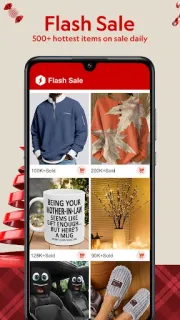
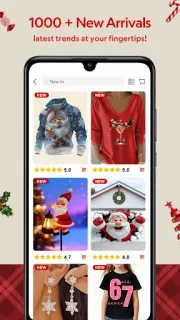
The app’s main job is browsing and buying: explore by category, Flash Sale, New In or Best Sellers, then use customer reviews to help judge an item. The listing also describes daily check-ins for coupons, sale alerts, price-drop notifications and delivery tracking. Those alerts can be useful when I am waiting for an order or watching a particular item, but they are optional parts of a shopping routine, not a reason to keep every notification on. There is also a broad selection beyond clothing, including home living and tech, plus options to customize some apparel and decorations.
The trade-off is that a large catalog can mean plenty of product images and pages to load, which may feel less comfortable on an older phone or a tight data plan. The app is free to install, but purchases cost money; check the item total and delivery details before placing an order. Creating an account may be useful for order tracking and preferences. I would allow notifications only if I want sale alerts or delivery updates, and review any permission request against the feature I am using. Coupons and flash sales are prompts to compare options, not proof that an item is the right value.
Install it if you browse fashion often, want home and tech categories in the same online marketplace, and can spare room for another shopping app. It may also suit someone who likes checking customer reviews and coupons before choosing. Skip it if storage is nearly full, you prefer a small catalog, or shopping alerts tend to distract you; you can still use a browser for occasional browsing. If delivery tracking matters, check the order details in the app rather than assuming every item follows the same schedule. For this kind of broad catalog, the Google Play button just below is the place to check the app details before you install.