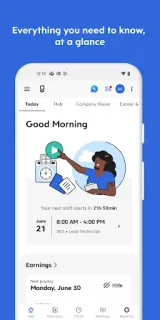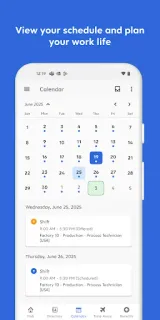
A shift is coming up, but you need to check the start time before leaving home. Dayforce puts schedule access alongside clocking in and out, so you can look up work details and handle a basic task without waiting to get to a computer. If plans change, you can also use the app to request time off or swap shifts, subject to your workplace’s setup.
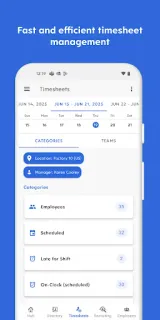
The app is built for day-to-day work administration: check schedules, record clock-ins and clock-outs, manage time-off requests, swap shifts, review benefits and track real-time earnings. Some employers also offer access to pay before payday through Dayforce Wallet. People leaders can use manager tools to approve timesheets and respond to requests while away from a desk. This is focused workplace access, not a general productivity suite for invoicing, business email or video conferencing.
The main catch is access: your organization must use Dayforce and enable its mobile experience, and the employer controls which features appear. Earnings access before payday is not offered by every employer, and availability can have limits. Check with your workplace about eligibility and any applicable terms before relying on that feature. On an older or low-storage phone, the app may be useful if it replaces repeated trips to a work computer, but it still needs room to install and an employer account with mobile access. I would keep the app’s role narrow: it handles work tasks, not a replacement for every workplace process.
Install Dayforce if your employer uses it and you want schedules, time-off requests or clock-ins within reach on your phone. It is less useful if your workplace has not enabled mobile access, or if you only need a schedule and your employer provides another way to check it. For a phone with limited free space, confirm you will actually use the work tools before adding another app. Check the Google Play button just below to open the listing and confirm Dayforce is the developer.