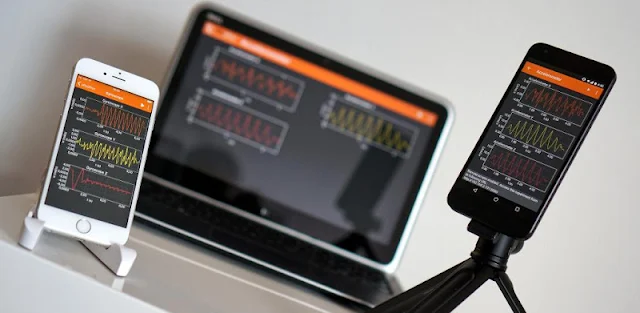
A phone balanced on a desk can become more than a timer: start a phyphox experiment and watch its sensors turn movement, sound or light into data. That makes the app handy for a classroom demonstration, a quick question at home, or a walk where you want to see how a measurement changes. I’d treat it as a pocket tool for exploring, not a replacement for dedicated lab equipment.
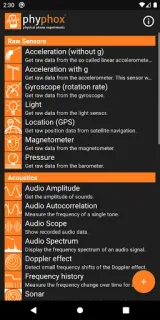
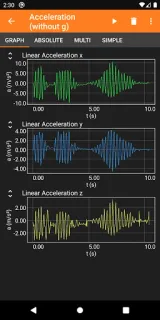
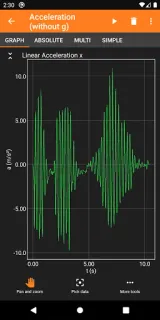
phyphox provides direct access to supported phone sensors and a selection of ready-to-play experiments. Examples use sensors such as the accelerometer, magnetometer, gyroscope, microphone, light sensor and pressure sensor; some functions depend on your phone’s hardware. Export raw measurements alongside analyzed results for further work. A web interface can remotely control an experiment from a computer on the same network, using a modern browser. The latest update adds camera-based brightness and color measurements, plus controls such as sliders, dropdowns and toggles. You can also define experiments with the web editor by choosing sensor inputs, analysis steps and views, then share them with others.
The practical catch is hardware: a phone cannot measure through a sensor it lacks, and camera readings depend on the camera and surrounding conditions. Check that an experiment suits your device before planning a lesson around it. Remote control requires the phone and computer to share a network. Export and save dialogs include an option to send a file to the device’s filesystem, so choose a destination you can find later. The app is free to install, and its described workflow centers on experiments and data exports. For precise work, compare readings with appropriate lab instruments.
Install phyphox if you teach or study physics, enjoy small experiments, or want sensor data to examine in a spreadsheet. It suits curious users who will start with a ready-made activity and may later try designing one. Skip it if you need calibrated equipment, your phone lacks a sensor an activity requires, or you want a general classroom organizer. Use the Google Play button just below to open the listing and check the app details.
 Tipsphyphox