
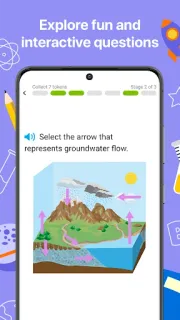
A child gets stuck on a homework question, then has ten quiet minutes before dinner. IXL can turn that gap into practice on a specific school skill instead of another broad worksheet: choose a topic, answer questions, and use the feedback to see what went wrong. That focused format is the app’s strongest fit for families who want a clear next step, not a full lesson plan.
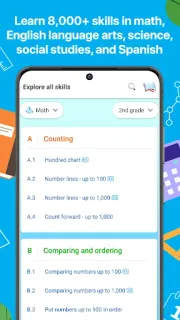
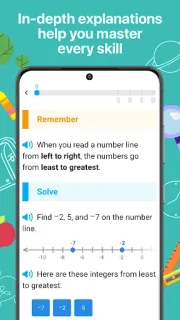
IXL covers math, language arts, science, and social studies across school years, with a large curriculum of individual skills. Questions adjust in difficulty, and step-by-step explanations help learners work through mistakes. Math practice ranges from early counting to advanced functions; language arts includes reading and writing skills. A notable change is language support: children can view math, science, and social studies skills in more than 100 languages. That can make a familiar subject easier to approach in a child’s native language, though it is not a replacement for instruction from a teacher.
Plan around access before making IXL part of a routine. The listing marks the app free to install, but that does not settle what ongoing access costs or which features require a paid plan; check the Google Play listing and the account options before relying on it. Families may also need to set up an account and choose suitable grade-level skills. For notifications, keep only reminders that help a child return to practice: check Android Settings > Notifications > App notifications > IXL, then turn off alerts that interrupt schoolwork or bedtime. Exact menu labels can vary by Android version. IXL’s learning value is in the practice itself, not in receiving frequent prompts.
I’d consider IXL for a learner who benefits from short, targeted practice, immediate feedback, and a choice of school subjects. It may suit families supporting classwork at home, or educators looking for extra skill practice; it is less compelling if a child needs live teaching, a structured course led by an instructor, or wants to avoid account and plan decisions. If notifications are distracting, silence them rather than letting reminders run the schedule. Check the Google Play button just below to confirm the developer and review the current access details before installing.
 Best picksIXL