
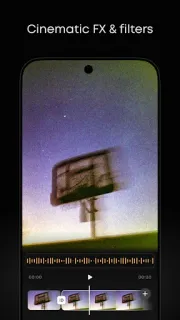
A group photo is nearly ready to share, but a bright bin behind everyone keeps pulling your eye. Prequel’s new object removal tool gives you a way to try clearing that distraction, then apply a filter that makes the image feel more deliberate. That makes it useful as a final stop in a daily photo routine: pick a picture, make one correction, choose a look, and move on. For a short video headed to Reels, the same app offers effects and presets to help the clip match the mood of your photos.
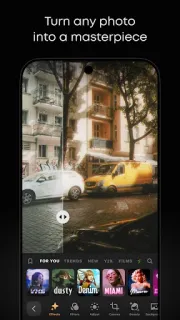
Prequel combines photo filters, video effects, presets, text fonts and stickers. Its described styles include Vintage, Film, Cartoon, Grain, VHS, Anime and Y2K, alongside looks such as sepia, black and white and teal tone. You can use the tools for a quick aesthetic change or spend longer shaping a post. The listing describes more than 200 filters for photos and videos, plus effects and frames; that breadth makes browsing part of the job. It is an editor for personal images and social content, not a dedicated podcast tool, music streaming service or photo books maker.
The app is free to install and offers in-app purchases, so check the Google Play listing for purchase details before building it into your routine. A wide filter collection can also make choosing slower: if you only need a crop or a single straightforward correction, a simpler editor may be less distracting. Object removal is a useful option for small visual distractions, but I would inspect the result before sharing, especially where the removed object touches a face, text or a patterned background. Editing also means selecting personal photos or videos to work on, so review any access prompts and grant only the access needed for the task.
Install Prequel if you regularly prepare photos or short videos for social posts and enjoy changing their style with presets, filters and effects. It is a weaker fit if you want only basic adjustments, need a specialist video editor, or prefer not to browse a large menu of looks. If your routine is one image, one finishing touch and a quick share, the object removal tool may be the most practical reason to try it. Check the Google Play button just below to open Prequel’s listing and review the details before installing.
 TipsPREQUEL AI Filter Photo