Gmail this week: check sync before your interview
Issue 18 · Nov 9–15, 2026. Gmail’s update emphasizes chat, spaces, and calls alongside email. I recommend updating, then checking sync; next, I walk through the settings and message checks I would use before travelling to an interview.
Next: sync settings and a patchy-signal checklist
StartWhat changed this week
These are the three changes in Gmail that stand out in the developer's update notes and on its Google Play listing this week.
- 011. Calls and spaces stay close to email
The update notes emphasize chat, spaces, and voice or video calls alongside email. I see that as useful when a recruiter shifts from messages to video conferencing, but those connected tools are not a fallback when signal drops.
- 022. Search helps untangle application threads
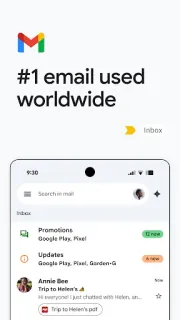
The listing highlights keyword search and switching between accounts. I would use those before adding more inbox tools: search a company name, then check the account avatar. That helps separate an application acknowledgment from the recruiter reply that needs attention.
- 033. Assisted inbox tools have requirements
The listing includes Gemini help with writing, finding details, and creating calendar invites. It requires an eligible Google AI Pro or Ultra plan and an internet connection. For my patchy-signal job-search routine, ordinary search and already-opened messages come first.
My verdict, the full review and the link to the official Google Play listing are on this issue's Gmail page.
Our take on this build
Check one settingI would update, but check sync before trusting Gmail on the journey to an interview.
Recruiter replies split across accounts
With dozens of applications in flight, I want the employer, role, and next action visible without digging through unrelated mail. Gmail’s multiple-account support and search fit that job. I would keep my application account distinct, then search each employer before replying so an older thread does not steer the conversation.
Interview preparation also brings messages from online courses, project management tools, and a recruiter’s CRM. I see Gmail as the place to find those messages, not a replacement for the services behind them. With patchy signal, I would prioritize the actual interview instructions over links that need another connected app.
Check sync, then open the interview thread
I would open Gmail > Menu > Settings > the application account > Data usage, then check Sync Gmail and Days of mail to sync. A longer sync window can help retain recent context, but it is not a promise that every message or attachment will be available offline.
Next, I would check Android Settings > Apps > Gmail > Notifications and allow the alerts I need. In Gmail > Menu > Settings > the application account > Notifications, I would review the account’s alert choice too. These settings help with incoming replies; they cannot deliver new mail without a connection.
Good
- I can switch between personal and application accounts.
- I can search employer names and exact phrases.
- I can keep calls and email within the same app.
Watch for
- I cannot count on uncached mail offline.
- I need a connection for calls and fresh replies.
- I need an eligible plan for the listed Gemini tools.
Also in this issue
Gmail is one of 13 apps in Issue 18. Next up in this issue:
Tips
- 1. Star the message with the meeting address
I would open the recruiter’s message while connected, then tap the star beside it. Gmail > Menu > Starred becomes a shorter route back than scrolling through application receipts. Starring is an organizational aid, not an offline guarantee: I would reopen the thread without a connection before depending on it during travel.
- 2. Search the company, then narrow the results
I would tap Search in mail and enter the company name plus a word such as interview. If I know the sender’s address, I can use from: followed by that address. Before leaving coverage, I would open the relevant result and read the instructions; searching offline can only work with information already available locally.
- 3. Check the sending account before replying
I would tap the profile avatar at the top right and select the account used for that application before opening the thread. After tapping Reply, I would check the sender identity before writing. If signal disappears, I would look in Menu > Outbox once reconnected rather than assume tapping Send meant the reply had left.
Menu names follow the developer's help pages and can differ slightly between versions and phones.
Reads about Gmail
- How-to · GmailGmail: Build a Reply Shelf Without Losing Customer Follow-upsKeep reply wording close and unanswered customer threads closer, with a phone-friendly Gmail routine.
- Tips · GmailGmail: 6 Habits That Keep Cleared Mail From Piling UpDeleting the same senders again? I use six Gmail controls to tackle repeat clutter at its source.
- How-to · GmailGmail: File Receipts Automatically Without Hiding InvoicesBuild a narrow Gmail filter, check its matches, and keep payment requests out of the archive.
- Best picks · IXLIXL or another app? Match 5 picks to the right taskA school skill, a garden question, or an account task? Start with the right app.
 How-toGmail
 Best picksIXL
How we write the digest
1. I read each app’s Google Play listing and update notes to identify its main job and the changes worth explaining. 2. I use apps in my own routine, keeping those observations separate from claims in the store text. 3. I turn useful details into a short checklist, naming screens and menu paths when I can establish them. 4. I say plainly whether an update is worth acting on, worth checking later or unlikely to change your routine. My aim is a decision you can make before opening the store.
FAQ
Is this an official Gmail update page?
No. I write for Past The First Look, an independent consumer site. Gmail’s Google Play listing from Google LLC is the authority for official release notes; this page is my practical reading of those notes for a job search with patchy signal.
Why does Google Play show Open instead of Update?
Open usually means Google Play is not offering a newer release to your device at that moment. Your app may already be current, or a staged rollout may not have reached your device yet. I would check the same listing again later rather than look for another source.
Can I read interview emails in Gmail without signal?
Some previously synced messages may remain readable offline, but I would not assume every thread or attachment is available. While connected, I would open the interview message and any essential attachment, then check access without a connection. New replies, linked pages, and sending queued messages need connectivity.