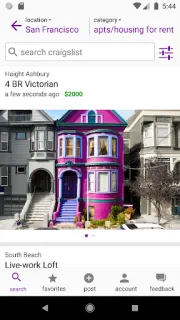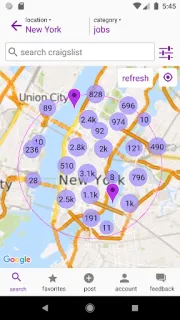
A rental search can go sideways when a promising listing is buried among posts from across town. craigslist lets you filter results and view them on a map, so you can narrow the search to places that fit your area. Save a promising home to Favorites, then set an alert for new matches instead of repeating the same search each day. That alert can help with jobs, too, where timing matters.
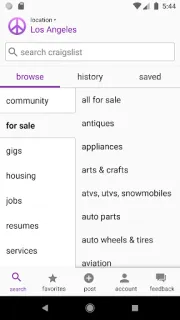
The app covers the familiar classifieds mix: housing, jobs, furnishings, cars and trucks, goods, and services. Search within a category, filter the results, save favorites for later, and set search alerts to receive matching posts. Map view adds a location check to the results. It is a local classifieds tool, not a curated online marketplace: you browse posts and decide which ones are worth contacting. You can also use it to find work or reach local applicants when hiring.
The first catch is that broad searches can return plenty of irrelevant posts. Add specific terms and use the available filters before relying on an alert; otherwise, new matches may still need sorting. A map can help with location, but it cannot establish whether a post or its poster is trustworthy. Treat each exchange as something to check carefully, and confirm details directly before arranging a meeting or sharing personal information. craigslist is free to install; keep any costs associated with a transaction separate from the app itself. Favorites and alerts help organize searches, while direct communication is still part of arranging a listing.
I’d install it if I regularly search local rentals, secondhand goods or flexible work and am willing to review listings one by one. It is less useful if I expect polished product pages, reliable delivery tracking, coupons or price comparison; those are not the focus here. Sellers and employers may also find the local audience useful, while anyone who dislikes direct follow-up may prefer a more managed service. Check the developer name and the latest update notes on the Google Play listing, then use the Google Play button just below to open it.