A phone slips from your hand, the screen breaks, and you need to know what to do next. Protection 360™ puts claim filing and coverage details in one place, so you can check your plan and begin a claim without hunting through old messages. That practical role is the reason I’d keep it handy: it connects a covered device problem with the next step.
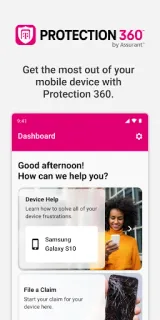
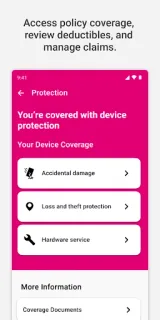
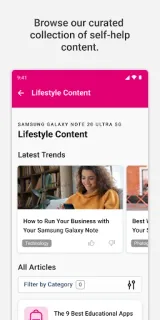
The app is for Protection 360™ customers. You can view coverage documents, deductible information and FAQs, then file and track a claim for accidental damage such as drops, spills or screen damage, or for a mechanical breakdown. It also offers live tech support by call or chat for setup, installation, device-to-device connections, Bluetooth and Wi-Fi. Curated self-help articles and step-by-step guides give you another route for common device questions, while the app gathers eligible extra benefits in one place.
There’s an important gate: register with your T-Mobile phone number to enable services and verify eligibility. The app’s claim and coverage tools are useful only in relation to your Protection 360™ coverage; check your documents and deductible details before starting a claim. Live support is included at no extra cost for eligible Protection 360™ customers, but if you aren’t eligible for technical support, that feature is removed 14 days after registration. Treat the app as a way to manage benefits, not as a promise that every repair or claim is covered.
I’d install it if I’m a Protection 360™ customer who wants claim tracking, coverage documents and device help close at hand. If I don’t have that coverage, the central tools may not be useful, and people who only need general setup tips can use the self-help articles as a bonus rather than a reason to register. Before you proceed, confirm the phone number and eligibility you’ll use. Check the Google Play button just below to open the listing.
 TroubleshootingProtection 360™