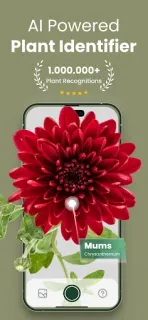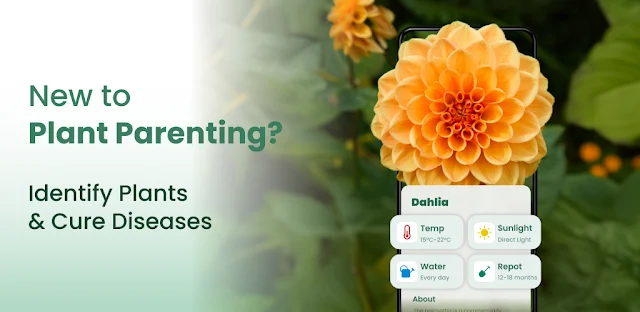
A leafy plant in a neighbor’s yard catches your eye, but you have no name to search and no idea whether it prefers shade. Plantify gives you a practical next step: take a photo or choose one from your gallery, then use the identification and care information to investigate. That photo-to-guidance path is the feature that makes the app worth keeping; it connects a passing curiosity to advice you can use when choosing a spot or planning care.
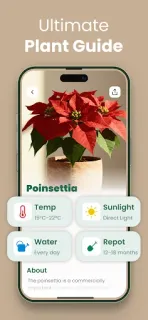
The app is presented as a plant identifier and care guide for flowers, trees, succulents, mushrooms and other plants. After submitting an image, you can look for a species identification and information such as watering needs, light requirements and care tips. Its guides cover indoor and outdoor plants, with examples including succulents, perennials and orchids. I’d treat a result as a useful lead, then compare it with the plant’s visible features before changing how you care for it. For garden planning or learning basic botany, having identification and care guidance together can be more useful than a name alone.
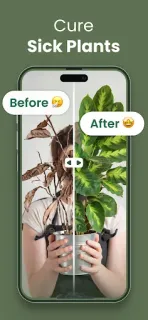
There are two things to check before relying on it. First, a photo-based identification is a starting point, not a guarantee that every result is right; a blurry, distant or incomplete image may make a match harder to judge. Second, Plantify is free to install but offers in-app purchases, so review the Google Play listing and any purchase prompts to understand what costs extra. The app needs access to a photo you choose or capture for identification; check Android’s permission prompt and grant only the access you want. Its care suggestions are general guidance, so consider the plant’s actual condition and surroundings too.
I’d consider Plantify if I often encounter unfamiliar plants, keep houseplants, or want an approachable way to explore names and care basics. It is less useful if I need a guaranteed identification or a personalized diagnosis before making a care decision. This is a focused plant companion, not a general project management, CRM or cloud storage tool, and those categories do not help explain its purpose. If photo identification plus care tips fits your routine, check the Google Play button just below.