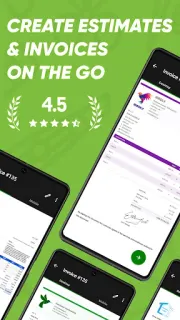
A client asks what a repair will cost while you’re still at the jobsite. Joist is built for that moment: put together an estimate from your phone, share it before you leave and give the customer a clear way to review the work. If they accept, the same workflow can lead into invoicing, rather than leaving the paperwork for your evening. For a small contracting business that handles repeat jobs, getting the estimate in front of the client promptly is the practical appeal.
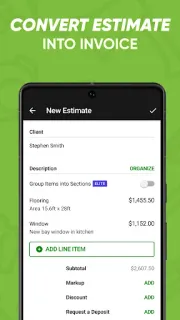
Joist is an estimate and invoice maker for contractors. You can create estimates, bills and invoices using templates, and build from lists of commonly used materials and labor rates instead of entering every line from scratch. The app also supports client records, receipts and project organization, with client information available while you’re away from the office. The listing describes accepting client payments through Joist, including card payments. That makes it relevant to invoicing as well as project management, though it is not a CRM built for every kind of sales team or a replacement for broader bookkeeping tools.
The cost question takes more than checking whether the app is free to install: the listing flags in-app purchases, so paid options may affect what you spend across a year. Before relying on a paid plan or payment feature, check the Google Play listing for current purchase details and review the terms shown inside Joist. Your total can depend on which optional features you choose and how you use them; I would not assume every estimating, invoicing or payment function is included at no cost. Keep your own records of invoices and payments, too, rather than treating an app as your only archive.
Install Joist if you’re a contractor who sends estimates and invoices directly to clients, reuses similar labor and materials, and wants client details handy on the move. It may also suit a small team that needs a straightforward way to keep job paperwork together. Skip it if you need advanced accounting, complex approval chains or tools built around video conferencing or e-signature workflows. Check the in-app purchase details against the features you actually need, then use the Google Play button just below to open the listing.