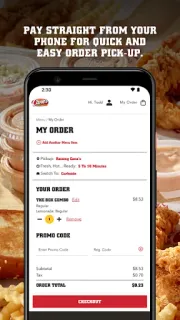
You’re heading out for lunch, the line at Raising Cane’s is curling toward the door, and you already know what you want. This is where the app earns its place: place an order ahead, pay from your phone, then pick it up instead of starting at the counter. For a familiar meal on a busy day, fewer steps at the restaurant can matter more than a long menu of extras.
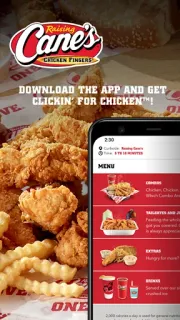
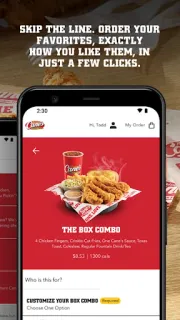
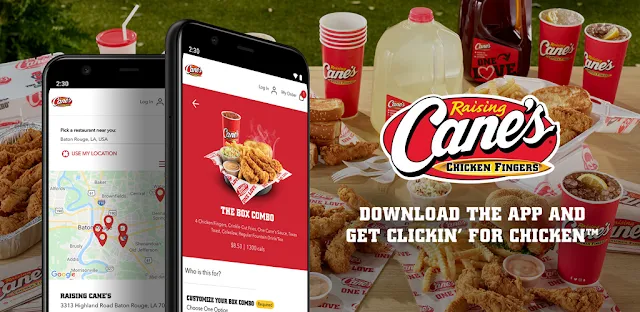
The app focuses on Raising Cane’s chicken finger meals. You can choose favorites, customize them, order ahead and pay ahead for pickup. Tasty Tracking is intended to help you follow the order so you can collect it fresh; saved favorites support quick reordering on another visit. That makes this a focused food delivery alternative for pickup, not a general restaurant finder or a way to browse meal deals across different chains. Check the pickup details in your order before heading out, especially if you are collecting for someone else.
The first snag to watch for is timing: an order placed ahead still depends on the restaurant’s pickup process, so check the app’s order status rather than assuming it is ready as soon as you arrive. You’ll need a connection to place and track an order, and paying in the app means entering payment details there. The app is free to install and contains ads; food purchases are separate. Confirm your chosen location and order details before paying, since a saved favorite can speed up checkout without guaranteeing that every choice suits this visit.
Install it if Raising Cane’s is already your choice and you want a repeatable order-and-pickup routine. Skip it if you’re comparing restaurants, looking for restaurant reservations, or need live sports streaming or event tickets alongside your meal; those are outside its purpose. I’d keep it for regular pickup runs, but use the restaurant’s usual ordering options if you prefer to decide at the counter or don’t want to enter payment details on your phone. Check the Google Play button just below to open the listing and confirm you have the Raising Cane’s app.