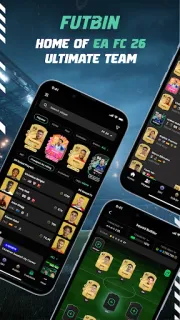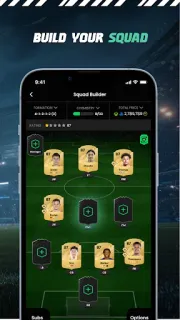
You have a half-built squad and need one player who fits the chemistry links, not just the rating. FUTBIN’s Squad Builder can suggest players based on chemistry and links, while the database gives you player details and current prices. That makes it handy when you want to compare a few options before changing the team. The first ten minutes are best spent opening the builder, searching for a player you know, and checking where the price and chemistry information sit.
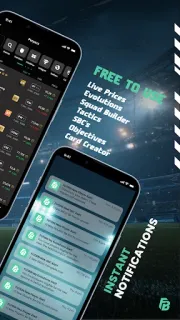
The app brings together player pages, squad building, Evolutions tools, SBC details and solutions, news, and a Team Of The Week list. Player pages include in-game stats, traits, work rates, skills, versions, price ranges, and price graphs by day and hour. You can compare players, view the three lowest Buy Now prices, and use a tax calculator based on those listings. Alerts cover players, the market, squads, and SBCs; saved squads can also be accessed on the FUTBIN website. Pack Scan and consumable prices round out the tools. If you follow FC content closely, the range is the appeal; if you only need a quick player lookup, the number of sections may feel busy.
Plan for ads and optional in-app purchases, and check the purchase details before paying for anything. Prices and market alerts are most useful as reference points: listings can change, so confirm a price in-game before acting on it. Notifications are optional, but enabling them means the app can send alerts. I’d start with the squad builder and one player page, then decide whether alerts or other sections earn a place in your routine. Pack scanning is another feature to explore if you use it; don’t assume every tool is necessary for basic browsing.
Install it if you regularly build FC squads, work through Evolutions or SBCs, or want player prices and stats together. Skip it if you want a general sports app, dislike ad-supported apps, or only check player prices occasionally. It is not a food delivery app, a place to buy event tickets, or a source for live sports streaming; its focus is FC team planning and the in-game market. To check the fit and purchase details, use the Google Play button just below.