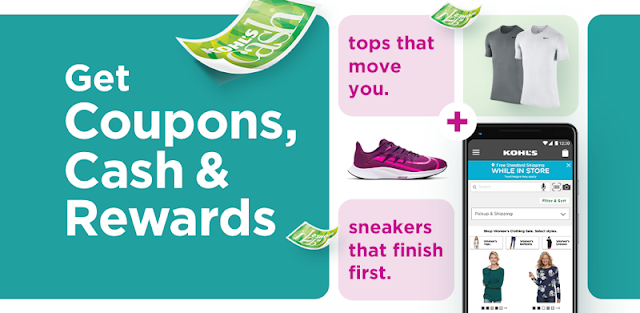
You’re in a Kohl’s aisle, holding a shirt in one color while another size might be in stock. The app’s Scanner lets you scan the product barcode to check prices, sizes, colors and reviews, then shop in the app if you can’t find what you need in store. That is a practical reason to open it before joining the checkout line: you can compare the item in front of you with what the app offers and keep shopping from the same screen.
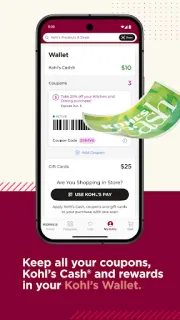
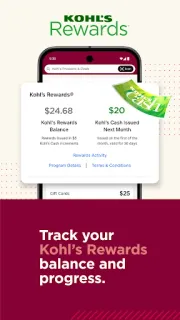
For online shopping, the app covers fashion, beauty products, home goods and more. Kohl’s Wallet brings coupons, rewards and Kohl’s Cash together, while offer reminders can flag savings that are nearing expiration. In store, Kohl’s Pay lets you select eligible coupons, rewards and Kohl’s Cash and apply them with a scan at checkout. You can also manage a Kohl’s Card account, make payments and track Kohl’s Rewards progress toward a $5 reward. Those account tools make the app more useful once your sign-in is sorted, but they are not necessary just to browse products.
The first few minutes are mostly about choosing what you need: browsing, scanning, or reaching your account and savings. To use personalized account features, expect to sign in; Kohl’s Card tools also require the relevant account. Keep an eye on which coupons and rewards apply to the items in your basket, and check their terms before counting on a discount. The app contains ads, and free installation does not mean every shopping transaction or product is free. If you prefer not to manage another shopping account or receive offer reminders, those features may feel like extra setup rather than help.
I’d install it if you shop at Kohl’s often enough to use its Wallet, scan shelf tags or check rewards progress. It may also suit anyone browsing outfit ideas or comparing colors and sizes in store. Skip it if you only need a one-off product lookup and would rather shop without signing in or keeping track of offers. Before you install, check the Google Play button just below for the publisher and current app details.
 CompareKohl's