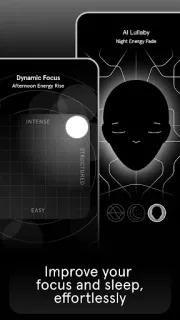
At the end of a noisy workday, one person may need quiet to finish a task while someone else is ready to wind down. Endel offers distinct soundscapes for Focus, Relax and Sleep, so a family or small team can choose a sound for the moment instead of agreeing on one playlist. For a shared routine, decide who controls playback and when to switch modes; the app’s sound is personal, but the schedule can be a useful prompt for everyone.
The app creates soundscapes intended to respond to inputs such as location, environment and heart rate. Its listed modes cover Focus, Relax, Sleep, Recovery, Study and Move, including sounds intended for walking, hiking and running. The developer also describes artist collaborations, including James Blake’s Wind Down, designed for the transition from evening toward sleep. The latest update notes introduce Uplift, a seasonal soundscape with a Seasonal Energy Score that tracks daylight and activity and adjusts the sound. That feature is aimed at people above the equator, so it may be less relevant elsewhere.
Endel is free to install and offers in-app purchases, so check the Google Play listing for purchase details before making it part of a household routine. Personalized soundscapes may use location, environment and heart-rate inputs; review the app’s permission prompts and privacy choices, and allow only what you are comfortable sharing. A heart-rate input can also depend on a compatible connected device. The sound is designed to support focus, relaxation or sleep, not to guarantee those outcomes or replace a sleep tracking tool.
Install Endel if you want one app with sound choices for individual work, study, movement and bedtime, and if your family or team can agree on when and how to use it. Skip it if you prefer silence, want a shared control system for multiple listeners, or do not want to review connected-device and permission settings. If you are comparing it with a workout plan, meal planner or fitness tracker, Endel is specifically about soundscapes, not a full routine manager. Check the Google Play button just below to see the app’s listing and purchase details before you decide.