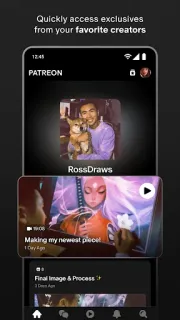
A creator posts a bonus podcast episode, and the usual feed won’t show it. Patreon is useful when you want that creator’s member-only work alongside a place to talk with other fans. Join a creator’s Patreon to access the posts and community features attached to that membership; the app is most compelling when you already know whose work you want to follow.
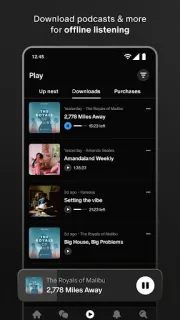
The app brings together exclusive podcasts, videos, art, writing, recipes, courses and music. Creators can group work into collections, while community group chats give members a place to converse beyond post comments. You can also listen to podcasts, music and other audio offline, handy for a commute when you would rather not rely on a connection. Personalized fan profiles help other members put a name and interests to the person joining the conversation. It is a creator-community app, not a general streaming subscription or e-books catalog: what you can access depends on the creators you join.
Plan for membership costs: installing the app is free, but access to a creator’s exclusive work is tied to joining that creator’s Patreon, and memberships may cost money. Check each creator’s membership options before joining, especially if you only want one benefit, such as bonus episodes or a group chat. You will need an account to join and participate. Offline listening applies to audio; it does not mean every post or video is available without a connection. Keep track of the memberships you choose so the ongoing cost stays clear.
Install Patreon if you follow creators who share extras there and would use their posts, audio collections or fan chats. It is less useful if you mainly want open-access entertainment, do not want another membership to manage, or expect every creator’s work to be included automatically. A smart TV is not the point here; the app is built around following creators and taking their communities with you. Before installing, check the Google Play button just below for the developer name and membership-related in-app purchases.