You spot a pair of shoes you like, but want to compare it with other options before deciding. In Nordstrom Rack, you can save favourites to a Wish List, then return to them instead of trying to remember a brand or style. Sale and new-markdown alerts can also help you notice when the selection changes. That makes the app useful for planned browsing, not just a quick hunt for one item.
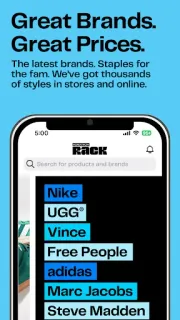
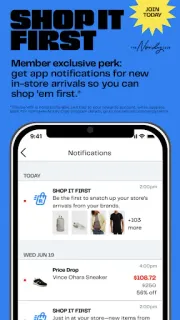
The app brings Nordstrom Rack’s clothing, shoes, accessories and beauty shopping to Android. Its description highlights daily flash events with limited-time deals, alerts for sales, new arrivals, brands and events, and a Wish List you can share with family or friends. Nordy Club members can receive notifications about new in-store arrivals. The description also says shoppers can pay with a Nordstrom card in store using a QR code. It is a shopping app, rather than a general price comparison tool: its useful checks centre on Rack’s own selection and promotions.
The first catch is that a flash event is time-limited, and a saved item is not the same as a reserved item. Check the current item details and availability before making plans around a particular style. Alerts are only useful if you want them; review notification access on your phone and switch off notices you do not need. Joining The Nordy Club is optional for ordinary browsing, but its member notifications require joining. Keep an eye on the final order details for any charges, including delivery, before placing an order. The app description also references in-store QR payment with a Nordstrom card, so do not assume that applies to every purchase method.
Install it if you already shop Nordstrom Rack, follow particular brands, or like checking rotating promotions and saving options for later. It may also suit someone making a gift list to share. Skip it if you want a broad online marketplace, automatic price comparison across shops, or a shopping experience without sale alerts and account-related extras. For delivery tracking, check the order information and available order tools rather than treating a sale notification as a shipping update. For the current app details, use the Google Play button just below.