
You’re near the end of a workday, hungry, and trying to find a nearby dinner option without scrolling through a coupon book. Groupon can put local restaurant offers alongside deals for events and services, so it’s useful when you want to browse by what you might do next. On an older or low-storage phone, the practical question is whether you’ll use those offers often enough to justify keeping a shopping app installed.
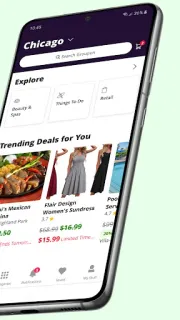
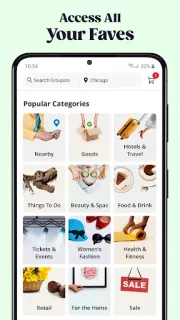
The app lets you browse deals near you and around the world, read customer reviews, share offers, and buy and redeem deals on your phone without printing vouchers. It also promotes savings alerts and promo codes, on-demand offers, themed collections, travel stays, and cashback at participating Groupon+ restaurants. That makes it an online marketplace for experiences and services as well as purchases; it is not a general price comparison tool for every shop. Check each offer’s location, terms, and redemption instructions before you buy, especially if you’re planning around a specific restaurant or event.
Groupon is free to install and contains ads. Individual deals may require payment, and cashback applies only at participating restaurants; check the offer details for its conditions before relying on a saving. Buying and redeeming offers requires using the app, and some deals are tied to a particular place or time. The listing also describes alerts, so consider whether you want promotional notifications. For storage-conscious use, check the app’s size on its Google Play listing and your phone’s available space; app size can change, and I wouldn’t assume every offer works offline. Gift cards and coupons from elsewhere are not the same as a Groupon deal.
Install it if you regularly look for nearby meals, activities, services, or trips and are willing to check the fine print before paying. Skip it if you rarely use local offers, want a broad price comparison across retailers, or are keeping every available space free on a low-storage phone. I’d start with one category you actually use, then remove the app if its offers don’t suit your routine. Check the Google Play button just below for the developer and listing details before you install.

 TroubleshootingGroupon